I AM the system administrator. Who do I call?
Print Server Power Control Hack
Power Control Box
A few years a go I built this solid-state relay power control box.
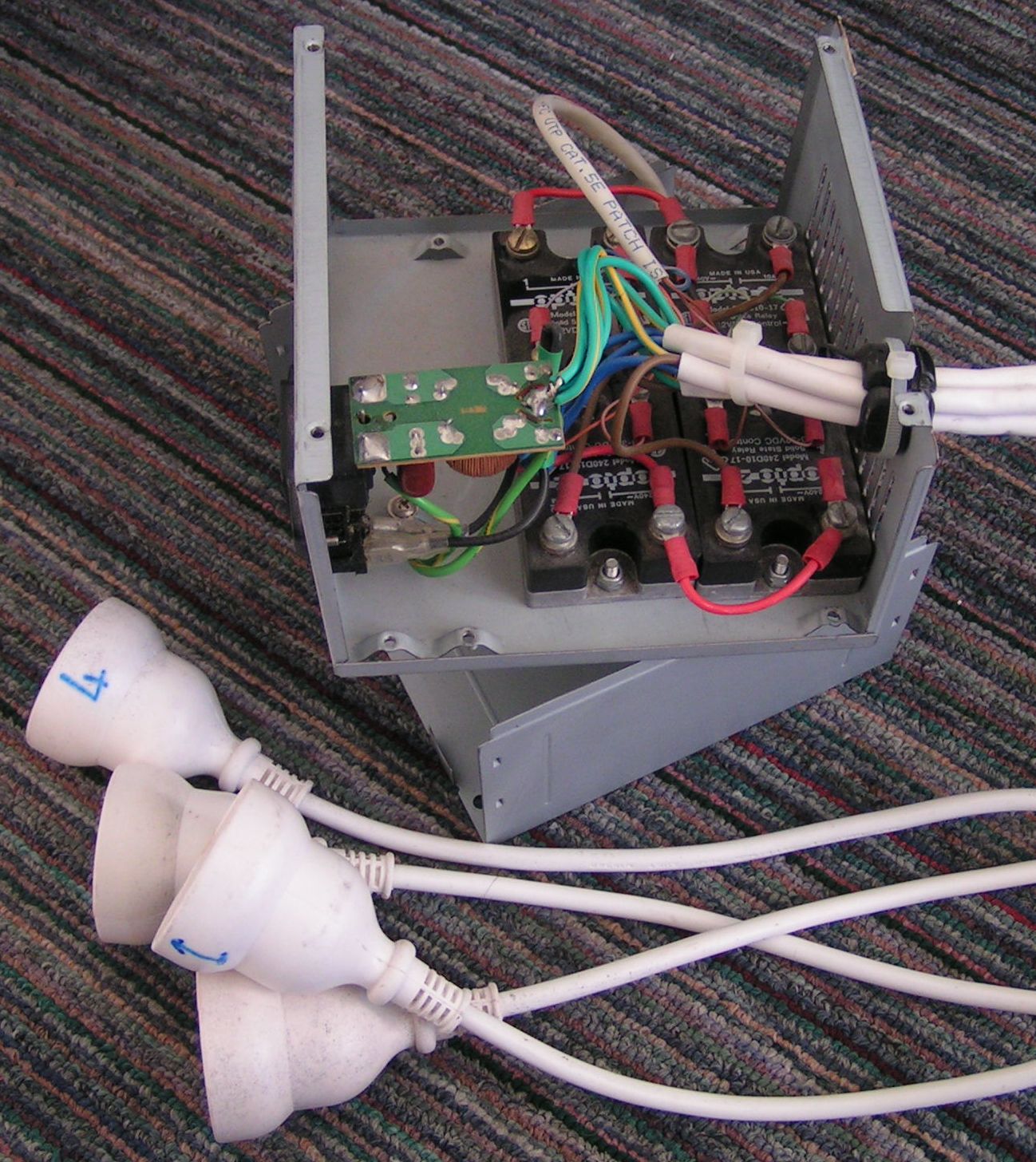
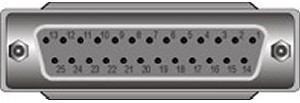
It connects to a parallel port allowing me to turn the power points on and off using software. The parallel port allows for up to 8 outputs by using data 0 through 7 (Pins 2 though 9).
I’ve had this box attached to my HTPC for the last few years; I use it to control power to my TV, subwoofer, table lamp etc.
As mentioned in my previous posts I’ve just finished building a new HTPC, and guess what, it has no parallel port! I thought it would be a simple case of using a USB to parallel adaptor but unfortunately these adaptors aren’t seen by windows as standard parallel ports; instead it appears in device manager as a “USB Printing Support” device hence can’t be addressed directly to turn the data pins on and off.
Print Server
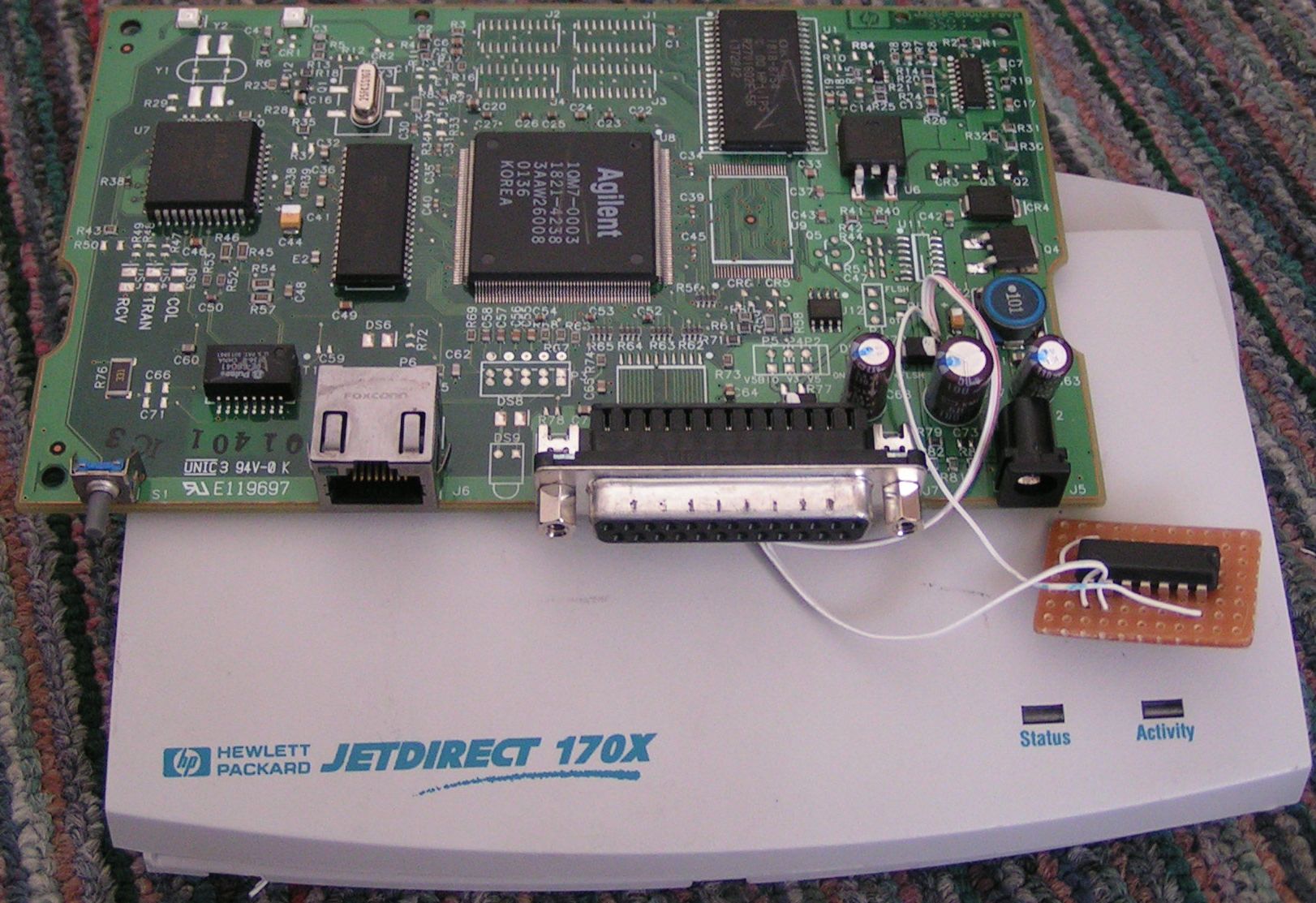
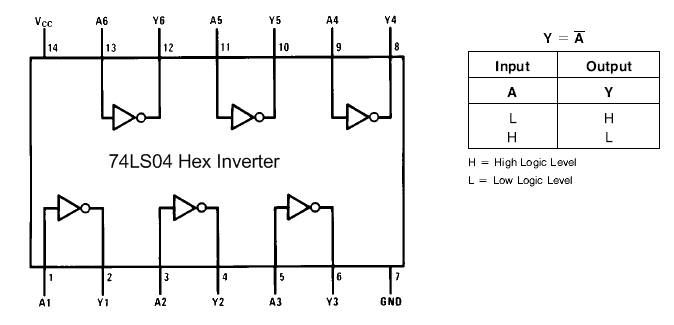
After much googling I came across a project by Doktor Andy which uses a network print server to drive external devices. This was perfect since I had a HP JetDirect print server. I wasn’t able to get Doktor Andy’s circuit working with the JetDirect but Boyan Biandov who’s name was on Andy’s site was very helpful and told me how to get the JetDirect working. A single 74LS04 chip is all that is required to invert the strobe output and feed it back into the busy input, I’m not really a wiz with electronics but as I understand it this fools the print server in to thinking that there is a printer attached and everything is “ok”.
* EDIT *
You may not need to use the additional chip at all. Fred kindly commented and pointed this out:
I have a trick to remove the 74ls04 chip : told the printserver ignore the busy data
a simple setting with any snmp tool
1.3.6.1.4.1.11.2.4.3.13.4.0
npPortCentronicsHandshaking OBJECT-TYPE
SYNTAX INTEGER {
nack-and-busy(1),
nack-only(2),
busy-only(3)
}
ACCESS read-write
STATUS optional
DESCRIPTION
“The handshaking to be used in sending data over the parallel port.”
::={ npPort 4 }
Smply change the value to 2
* EDIT *
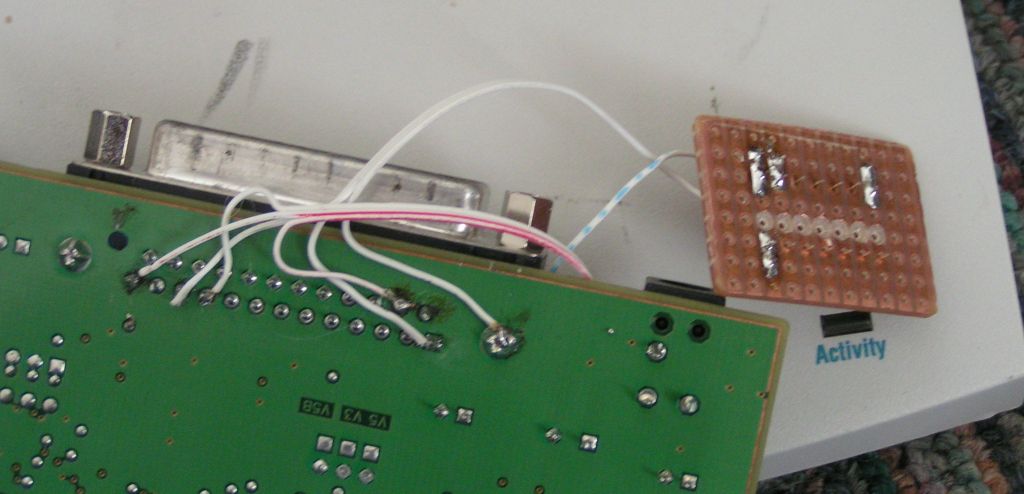
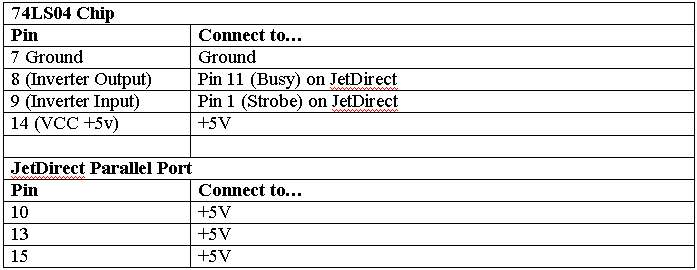
The IC requires +5Volts and it is also nessecicary to connect +5volts to pins 10, 13 and 15. It wasn’t hard to find a +5v point on the print server board.
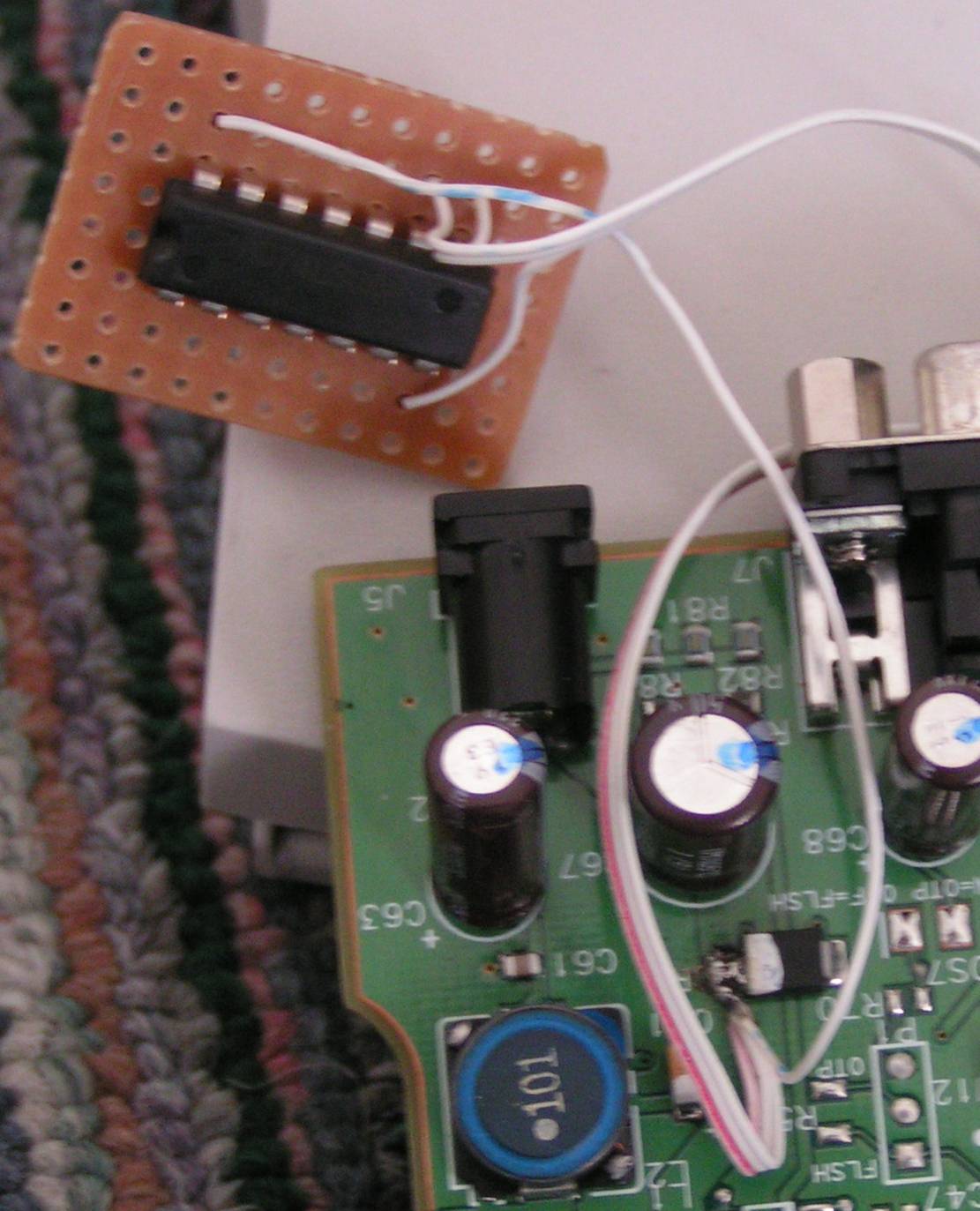
Connections; What needs to be connected to what:
Credit goes to Doktor Andy for this great idea and BIG thanks to Boyan who gave me just the right info when I was about to give up!
Control Software
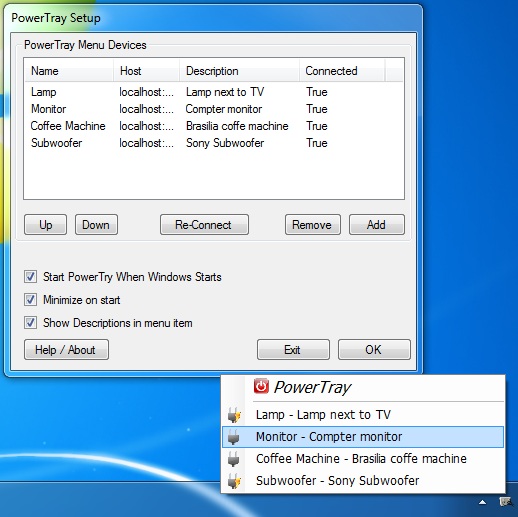
I’ve created a full windows application to control devices attached to print servers, local parallel ports and K8055 USB boards. Download and read about it here.
Here is the simple c#.net class which I use to access the print server. Say you wanted to turn on pins 2, 4 and 6. Combine the pin values
Pin2=1
Pin3=2
Pin4=4
Pin5=8
Pin6=16
Pin7=32
Pin8=64
Pin9=128
Required value to tun on pins 2, 4 and 6 is 1+4+16=21
Call the output method specifying the port as ipaddress:port and the output value:
(Most print servers use tcp port 9100, multi port JetDirects use 9100 for port one, 9101 for port two etc)
IpPortAccess.Output(192.168.1.10:9100,21);
using System.Net; using System.Net.Sockets; using System; using System.Collections.Generic; using System.Text; namespace PowerControl { class IpPortAccess { public static void Output(string port,int value) { string[] ipport = port.Split(new char[] { ':' }); string _ip = ipport[0]; int _port = Convert.ToInt32(ipport[1]); Socket soc = new Socket(AddressFamily.InterNetwork, SocketType.Stream, ProtocolType.Tcp); soc.Connect(_ip,_port); byte[] sendData = new byte[1]; sendData[0] = Convert.ToByte(value); soc.Send(sendData); soc.Close(); } } }
| This entry was posted by RhysGoodwin on June 6, 2008 at 10:52 pm, and is filed under Hardware. Follow any responses to this post through RSS 2.0. You can leave a response or trackback from your own site. |


about 4 months ago
hi,
Could someone help me with this part, step by step. (from a Windows machine). Thanks in advance.
i’ve been cracking my brain about the setting the “1.3.6.1.4.1.11.2.4.3.13.4.0″ value to 2 with an SMTP tool and I just can’t figure it out
By the way: great job on the application.
cheers,
milan
about 1 year ago
Hi.
I just found this web and very interested with it. I have some question. Is it possible to use the print server parallel port like LPT port? What I mean is: will I be able to read the status port, write the control port freely like in the LPT?
regards,
Andre
about 1 year ago
Hi Andre,
I haven’t done anything except for output so far. But take a look through Fred’s comments below and you should find the info you need.
Thanks for visiting.
Cheers,
Rhys
about 1 year ago
Hi Rhys,
Thanks for the reply. I see Fred uses the Status line as input. And you use Data line as output. What I didnt see is using the Control Line as output. Is it possible? Has anyone tried it?
Regards,
Andre
about 1 year ago
Yeah not sure sorry Andre. I guess you’ll just have to give it a go and let us know how you get on
Cheers,
Rhys
about 1 year ago
this week my garagedoor remotecontrol was broken, so i implement printer server to remot open trought cellphone
i have tested the busy line as input but when this line whas up the outputs where locked then i tryed the paper out line and it works great with that i can know on my cellphone if the door is open or closed
with this php code:
snmp_set_quick_print(1);
$state = snmpget(“192.168.x.x”, “public”, “1.3.6.1.4.1.11.2.4.3.13.5.0″);
$status=intval($state);
if ($status & 64) echo “”; else echo “”;
about 1 year ago
if you want use the printserver as input you can ask snmp too with this register
1.3.6.1.4.1.11.2.4.3.13.5.0
npPortStatusLines OBJECT-TYPE
SYNTAX INTEGER
ACCESS read-only
STATUS optional
DESCRIPTION
“The state of the centronics status lines from the peripheral. The
value is a bit mask.
Bit Value Signal
0 0×01 nACK
1 0×02
2 0×04
3 0×08
4 0×10 nFAULT
5 0×20 SELECT
6 0×40 PERROR
7 0×80 BUSY”
::={ npPort 5 }
i have tested the inputs respond correctly with snmp client software but i wans’t able to install apache snmp layer on my debian for this time
be carefull by using inputs and outputs while some channels are locking the outputs (select, error and aknowledgement) the others are free i think but i have not tested this configuration)
the next step for me is to add a ne555 on the busy line to have timebase for exemple with 1second timebase if i want to have the 1 bit high for 4 seconds i send 4 bytes and a zero byte
it’s better for automation i need this for my windows shutters
another thing with 3 ports jetdirect
the last zero of snmp adrress ist the port number 0:first 1:second 2:thirdt
(for changing the handshake and asking inputs too)
about 1 year ago
Hi Fred.
Thanks again for your comments. This is really great information. The question about inputs has been asked before but I haven’t been able to answer it. I’m planning to add input support to PowerControl for the K8055 so I will try to add input support for Jet Direct too.
Cheers,
Rhys
about 1 year ago
sorry for my english i’m french, snmp mean simple network management procol
i have used a snmp client softare to change the value of
1.3.6.1.4.1.11.2.4.3.13.4.0 register to 2
this setting would be stored after powerloss
look at google: snmp client , download , give the ip adress of the server and change the value
make only the briges (10 13 15 all connected to 1) on the db25 connector no needs to open the printserver
works great a command the printserver trought asterisk pbx software with my phone by calling a php page so i can switch things simply…
about 1 year ago
Thanks Fred, I’m going to give this a go on the weekend.
about 1 year ago
Could you elaborate on the “a simple setting with any snmp tool”-part. What exactly is it that you need to do?
about 1 year ago
Yeah it’s a bit vague. I’ll give this a go and see what I can come up with then I’ll update the post.
about 1 year ago
Hey Fred,
Thanks a lot. Great stuff. This really makes things easier! I’ve edited the post to include your tip.
Cheers,
Rhys
about 1 year ago
i have a trick to remove the 74ls04 chip : told the printserver ignore the busy data
a simple setting with any snmp tool
1.3.6.1.4.1.11.2.4.3.13.4.0
npPortCentronicsHandshaking OBJECT-TYPE
SYNTAX INTEGER {
nack-and-busy(1),
nack-only(2),
busy-only(3)
}
ACCESS read-write
STATUS optional
DESCRIPTION
“The handshaking to be used in sending data over the parallel port.”
::={ npPort 4 }
simply change the value to 2
sorry for my english i’m french
about 1 year ago
Brian > try using curl to po or some php in linux to connect and post 1 byte
about 1 year ago
I haven’t got that chip yet however i’ve connected up the status pin and it outputs ‘online’ i’ve put an led on 3&21 and it’s lit?
about 1 year ago
Yea, you’ll just have to see how you go but I couldn’t get it working without inverting strobe line with the chip.
about 1 year ago
The 74LS04 chip should fool the print server into thinking that everything is “ok” and ready to receive data.
about 1 year ago
Ah i’m with you, does the print server need to ‘think’ it’s online before the outputs can be controlled?
about 1 year ago
Hi Rhys
Do you have a diagram or list of the 8 outputs connections? in order to control the outputs do you merly need to call the ip address, port and output value? ie could it be done via a browser for example?
about 1 year ago
Right, so the outputs you need to use are data0 – data7 of the parallel port, can’t remember the pins but it will be easy to find. Yes you just need the ip and port. The pins are addressed in 8 bits. data0=1, data1=2, data2=4, data3=8 etc so if you wanted to turn on data0 and data3 you would need to send a value of 9 (8+1). As for a web interface you should be able to do what you need with PHP.
about 1 year ago
Hi Brian,
You can control 8 outputs without additional circuitry. I guess you might be able to use some thing like a shift register chip to get more outputs but I don’t have any experience with that. The other way to get more outputs is to use a print server which with 3 parallel ports each port is accessible on different tcp port e.g. 9100,9101,9102 etc.
As for Linux, I’ve never done it but I’m sure it’s very easy. You may be able to do something with /dev/tcp I suspect.
Cheers,
Rhys
about 1 year ago
Hi
I’ve been working on a similar project and will be doing another one with the 170x, can you tell me how many outputs can be controlled and also is it possible to do it via linux using command line? ie can the url 192.168.1.10:9100,21 be called and the pinouts changed?
thanks