
OpenAM – Can’t Log on to Admin Console
This one cost me some time!
Symptoms
After installing and configuring OpenAM you’re unable to log on to the admin console with the amAdmin account and password you set during the install. It doesn’t give an error message, just drops you back to the login page.
Cause
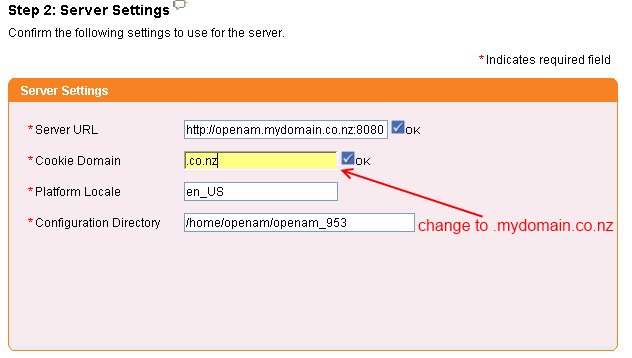
When you go through the custom configuration wizard you get asked for the cookie domain. If your OpenAM server is openam.mydomain.co.nz then your cookie domain should be .mydomain.co.nz but by default the wizard just takes the trailing two domain components from the server name – i.e. .co.nz. Unless you specifically set the cookie domain correctly you’ll get the issue described above. As you can imagine this issue wouldn’t occur if your OpenAM server was called openam.mydomain.com.
This means that if you have a domain name with more than 2 domain components then you’ll always need to run the custom config wizard.